

Pixel characters are an essential component of retro video games, breathing life into their virtual worlds through simplistic yet expressive designs. Whether you are a seasoned artist or a beginner, using a pixel character generator streamlines the process of crafting these iconic figures. Dive into the world of 8 bit character tools and learn how to transform your creative vision into a reality with ease.
This guide will equip you with the knowledge to create both 16 bit characters and understand the nuances of pixel art. By exploring various 8 bit character generators, you will enhance your skills and find the best tools for your artistic endeavors. Ready to embark on your pixel art journey?
Understanding Pixel Characters
What are Pixel Characters?
Pixel characters are digital images created using small, square-shaped pixels, often associated with the visual style of early video games. These characters are characterized by their simplicity and limited color palettes, which allow artists to convey emotion and personality with minimal detail. Whether you’re aiming for nostalgia or a distinct artistic flair, pixel characters offer limitless creative potential.
History of Pixel Characters The history of pixel characters dates back to the late 1970s and early 1980s, when video games like “Space Invaders” and “Pac-Man” introduced players to pixelated graphics. Over the years, the fascination with pixel art has persisted due to its nostalgic appeal and its ability to deliver impactful visuals with a minimalist approach. Today, artists continue to celebrate and evolve the art form, using both 8 bit character generators and modern tools.
Choosing the Right Pixel Character Generator
Features of Pixel Character Generators
When selecting a pixel character generator, consider features such as ease of use, customization options, and export formats. A good generator should allow you to adjust pixel size, choose from a range of color palettes, and easily modify your character’s attributes. These features empower you to create distinct characters efficiently, regardless of your skill level.
Benefits of Using a Pixel Character Generator
Using a pixel character generator saves time and provides a structured environment for design. These tools offer preset templates and intuitive interfaces that simplify the process of transforming your ideas into tangible pixel art. Additionally, they enable experimentation with different styles, allowing for the creation of unique and captivating characters.
Creating Your First 16 Bit Character
Step-by-Step Guide to 16 Bit Character Creation
Creating your first 16 bit character involves several steps. Begin by selecting a generator and setting your pixel size. Next, choose a color palette that complements your character’s theme. Sketch the outline and gradually fill in details, keeping in mind the limitations of pixel space. Experiment with shading and texture to add depth and dimension to your creation.
Tools Needed for 16 Bit Character Design
To design a 16 bit character, you’ll need software such as GraphicsGale or Aseprite, which offer robust tools for pixel art. These applications provide specialized brushes and layers tailored for pixel art creation. Additionally, a tablet or stylus can improve precision, allowing you to navigate the intricate process of pixel placement with ease.
Exploring 8 Bit Character Generators
Why Choose 8 Bit Character Generators?
Choosing an 8 bit character generator is ideal for projects that require a more retro aesthetic. These generators mimic the constraints and charm of early video game graphics, making them perfect for creating nostalgic art. By utilizing these tools, you can swiftly develop characters that resonate with audiences seeking vintage visual experiences.
Popular 8 Bit Character Tools
Some popular 8 bit character tools include Piskel, Pixilart, and Lospec Pixel Editor. These platforms offer user-friendly interfaces and versatile tools that cater to both beginners and experts. By experimenting with these applications, you can hone your skills and discover new techniques for creating eye-catching pixel art.
Enhancing Your Pixel Art Skills
Tips for Better Pixel Art
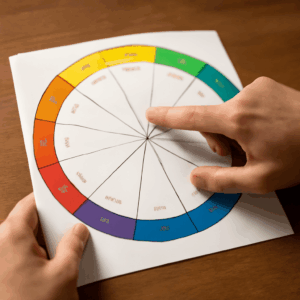
To improve your pixel art, focus on mastering color theory and composition. Understanding how colors interact will help you create visually appealing characters. Practice regularly and analyze pixel art from different eras to gain insight into various styles and techniques. Remember, repetition and experimentation are key to honing your craft.
Advanced Techniques for Pixel Characters
Advanced techniques for pixel characters include dithering, anti-aliasing, and animation. Dithering involves creating gradients using a mix of pixels, while anti-aliasing smooths edges by blending colors. Animation breathes life into characters, adding dynamic movement that captivates viewers. These techniques require practice but significantly enhance your artistic repertoire.
Sharing Your Pixel Art Creations
Platforms to Showcase Pixel Art
Sharing your pixel art creations is crucial for gaining visibility and feedback. Platforms like DeviantArt, ArtStation, and Reddit offer communities eager to explore new works. Engage with others by posting your art, participating in challenges, and offering constructive feedback to fellow artists. These interactions can drive your growth and creativity.
Community Engagement and Feedback
Engaging with the pixel art community provides invaluable opportunities for learning and improvement. Solicit feedback by asking specific questions about aspects you’re keen to improve, such as 16 bit character dynamics or color choices. Embrace constructive criticism and use it to refine your techniques, ultimately enhancing your artistic journey.